
Shop Inventory
Explore Inventory
Select Your Local MINI Dealership
MENU
Certified Pre-Owned
Login

Customizing your MINI has never been this fun. Build your dream MINI today and get ready for a lifetime of adventure tomorrow.
Stay in the loop on the world of MINI. From special events to special offers, join our mailing list to be the first to hear about the latest launches and to customize new models.
You can build and price your dream MINI using the Build Your Own or Configurator Tool on the Official MINI USA Website. The configurator can be used on a phone, and the experience is optimized for both mobile and desktop.
First, choose the MINI model you have your eyes on, and then the engine variant. Next, go through the flow of interior and exterior customizations and select packages and available options.
Once your build is complete, you can save or share it, explore matching inventory, customize your deal, view available offers, reserve/pre-order your build, or get a quote from your local MINI Dealer to take the next step.
MSRP stands for Manufacturer's Suggested Retail Price. It's the price suggested by the vehicle manufacturer for a specific model and trim level. It excludes destination & handling fees, taxes, title, license, registration, discounts, incentives, are applied. Consult your authorized MINI Dealer for important details.
“MSRP as Built" or the "Estimated Total" on the summary tab refers to the total MSRP for a specific vehicle configuration, meaning the base MSRP of the model plus the cost of all the individual options and packages you have selected. Please contact your local dealer for final pricing.
Cooper C denotes that a model is the base model. The S variant delivers higher horsepower and torque.
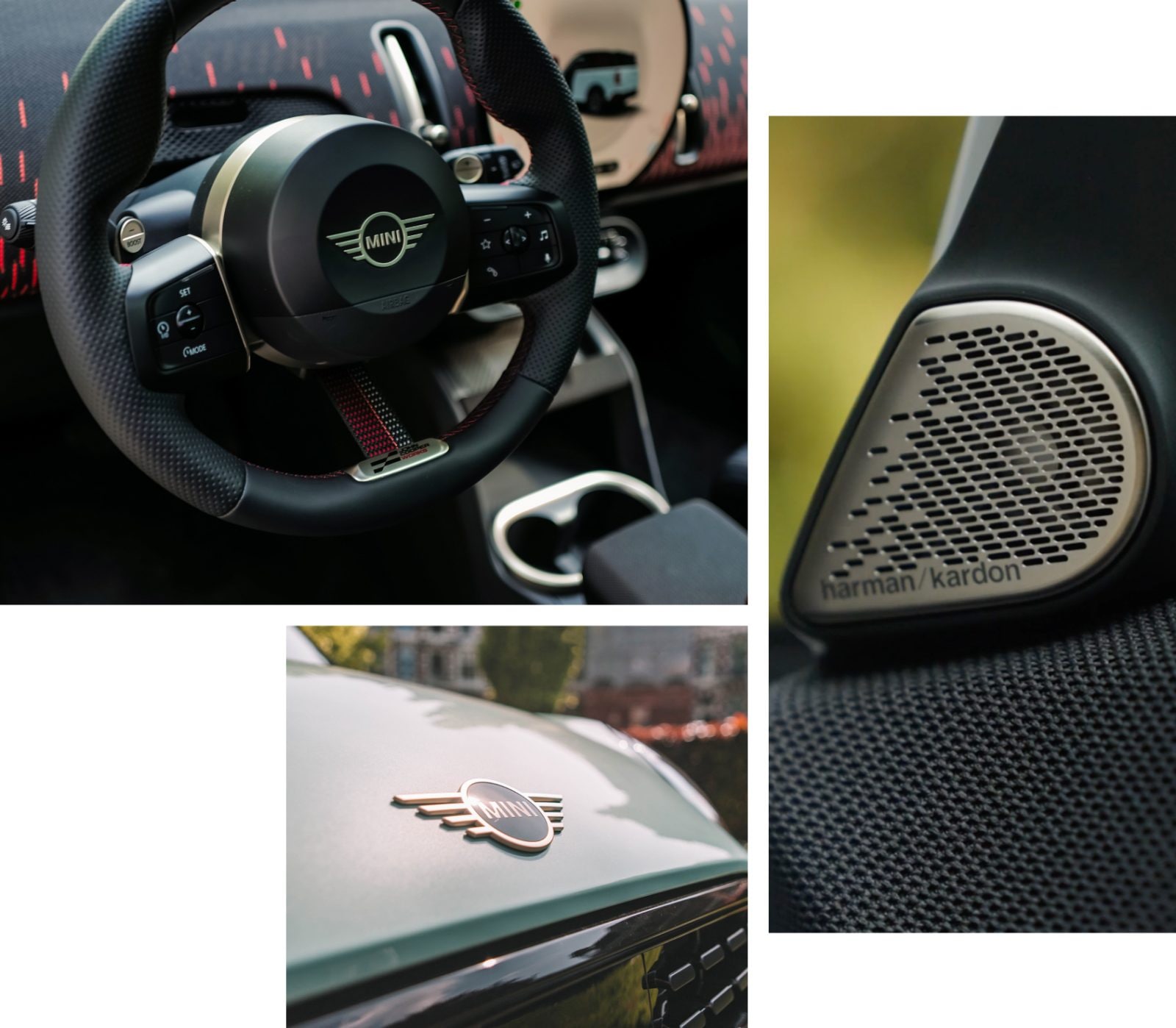
The JCW variant stands for John Cooper Works—these models receive a 7-Speed Sport Dual-Clutch Transmission for extra smooth shifting, JCW Dynamic Damper Control for superior comfort and handling, and JCW Sport Brakes for increased responsiveness. Plus, JCW-specific interior and exterior features like Chili Red accents, a JCW Sport Steering Wheel with Paddle shifters, JCW Sports Seats, JCW-specific bumper and front grille designs, and more.
SE designates an all-electric vehicle, and ALL4 represents MINI’s Intelligent All-Wheel Drive.
Below is a breakdown of which models offer each variant:
MINI Countryman: S ALL4, SE ALL4, JCW ALL4.
MINI Cooper 2 Door: Cooper C, Cooper S, JCW.
MINI Cooper 4 Door: Cooper C, Cooper S.
MINI Cooper Convertible: Cooper C, Cooper S, JCW.
Trim levels refer to the different combinations of innovative technology features available when choosing your MINI.
Signature Trim comes standard on the Cooper models (the MINI Cooper 2 Door, 4 Door, and Convertible) and includes features like Heated Front Seats and MINI Navigation. You can opt for the Signature Plus and Iconic Trims to add even more fun and functional features to your ride.
Signature Plus Trim comes standard on the Countryman models and includes features like Remote Engine Start and Wireless Device Charging.
You can opt for the Iconic Trim Package to add features like Active Cruise Control, Comfort Package Plus, and more.
Styles allow you to customize the look of your MINI and give you control over design elements like seat upholstery, dashboard paneling, and more.
Classic and Favoured Styles are available on models. The additional JCW Style is available on Countryman S ALL4, Countryman SE ALL4, Cooper S 2 Door, Cooper S 4 Door, and Cooper S Convertible variants.
Depending on the selected model, exterior customizations when designing your MINI using the Build Your Own Tool include body color, roof and mirror caps, wheel options, sport stripes, privacy glass, and more. MINIs are the ultimate canvas for self-expression and offer a number of additional accessories that can be added at your local MINI Dealership.
Use the Build and Price Tool on MINI USA to view all exterior customizations available with your preferred MINI model.
Interior customizations when designing your MINI using the Build Your Own Tool include interior upholstery and headliner color. When you get behind the wheel, the personalization options continue with the ability to choose your ambient lighting colors and customize your MINI OLED Display with up to three personal photos. Once you’ve chosen them, the interior lighting will reflect the color of your image.
Use the Build and Price Tool on MINI USA to view all interior customizations available with your preferred MINI model.
You can view your choices in a 360-degree view on the MINI USA Configurator Tool, by clicking the 360-degree button found in the bottom corners of the vehicle image on both desktop and mobile. This allows you to rotate the vehicle and explore different angles for both interior and exterior.
You can also toggle between Day/Night Mode to see how your customized MINI looks in different lighting conditions.
Comfort Packages refer to packages of convenience features.
Depending on the exact model, Comfort Package typically includes features like keyless entry, auto-dimming interior and exterior mirrors, an auto-dimming rearview mirror, and Wireless Device Charging.
Comfort Package Plus includes everything in the Comfort Package, in addition to Parking Assistant Plus and MINI Navigation with AR.
Comfort Package Max also includes Active Driving Assistant Professional. Active Driving Assistant Professional is MINI Level 2 Autonomous Driving Technology that helps maintain a safe distance from the vehicle ahead, assists with smooth lane changes using the Lane Change Assistant, and eases your workload in driving situations.
Requires a change means an option is not included in a package, style, or trim level you had previously selected. Once you click on an incompatible option with the current selections, you will get a pop-up explaining exactly what is being added and removed to make the build compatible, along with the new MSRP as built. You may choose to confirm these changes or go back to your current build.
You can also go back and select the required modifications.
At the end of the experience, there is a summary tab where you can review all selected modifications. You’ll be able to see the build details, and download, save or share your build.
You can save and share your build in the top right corner of the summary tab where you will find options to download your build details, copy the build code, or copy the link to the build, or share via email.
You can customize your deal towards the bottom of the summary tab where you will find options to estimate payments, apply for financing, get your credit score, or determine trade-in value.
You can find offers and incentives at the bottom of the summary tab where there are options to explore special offers, the military program, or graduate discounts.
During the summary step of the Build Your Own process, click the “Get Your Quote” button found in the “Estimated total” section and fill out your contact information.
During the summary step of the Build Your Own process, click the “Reserve Yours” button found in the “Estimated Total” section to begin the pre-order process.
Factory-ordered MINIs are typically delivered within 8–12 weeks, depending on current order volumes.
Input your zip code into the “Available Inventory” section of the summary tab and use the arrows to browse the closest matches to your build. You will see inventory from nearby dealerships and how closely they match your build. You can then view more details and get a quote for your preferred vehicle.
Join our mailing list for all the latest MINI news, offers, and buzz. And don’t worry—we won’t share your information with anyone else.
© 2026 MINI USA, a division of BMW of North America, LLC. The MINI name, MINI logo, model names, and other trademarks are trademarks of BMW AG.